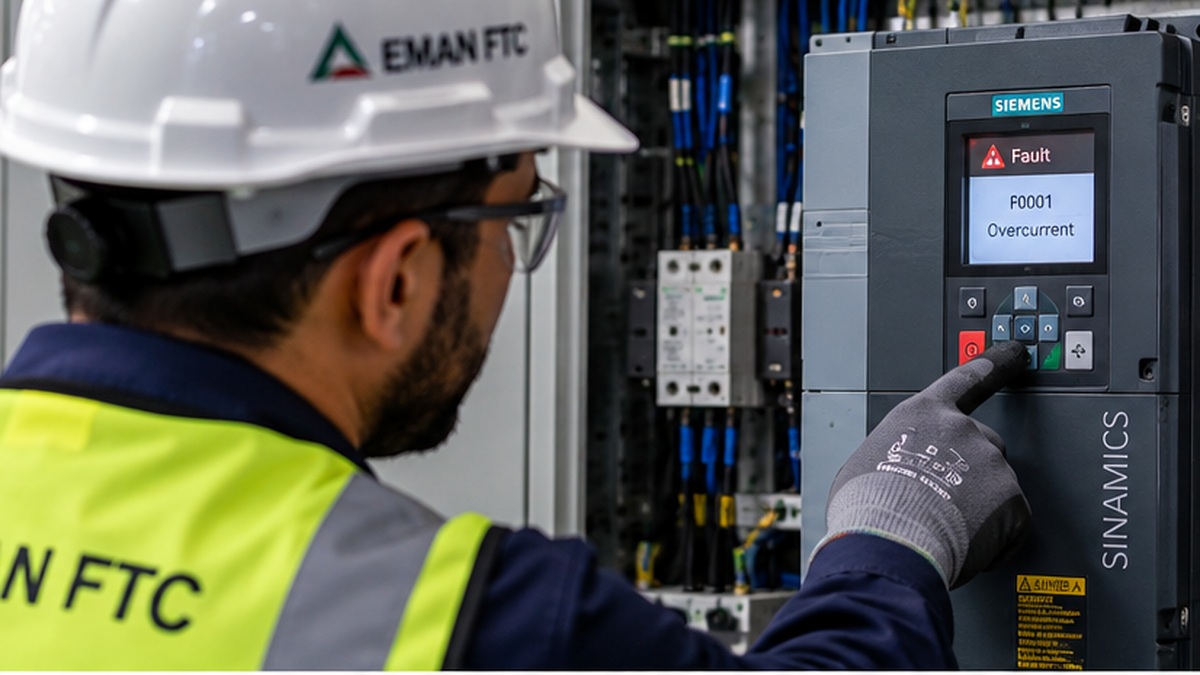
Quick answer: Start VFD troubleshooting by reading the fault code on the drive's display, then check incoming power, wiring, and motor connections before adjusting parameters. Most VFD faults trace back to overcurrent, overvoltage, undervoltage, overheating, or communication errors. EMAN FTC provides VFD troubleshooting and automation support across Saudi Arabia, including Riyadh.
A variable frequency drive (VFD) trips. The line stops. Now what?
Here's the truth: most VFD faults aren't mysterious. They follow patterns. Once you know what to look for, you can diagnose the problem faster and get your line running again. This guide walks through the most common VFD faults, what causes them, and how to fix them — step by step.
Whether you manage a bottling plant in Jeddah or a water treatment facility in Riyadh, the same troubleshooting logic applies. Let's get into it.
What Is VFD Troubleshooting?
VFD troubleshooting is the process of identifying why a variable frequency drive has faulted, tripped, or stopped performing as expected, then correcting the root cause. A VFD controls motor speed by adjusting the frequency and voltage of the power it supplies. When something disrupts that balance — a power spike, a loose wire, or a blocked cooling fan — the drive protects itself and the motor by shutting down and displaying a fault code.
That fault code is your starting point. Every VFD troubleshooting job begins with reading the code, not guessing at the cause.
Common VFD Problems and Possible Causes
Before diving into detailed troubleshooting steps, here's a quick reference table of the faults you're most likely to encounter:
| Common Fault | Typical Cause |
|---|---|
| Overcurrent | Motor overload, short circuit, incorrect acceleration time |
| Overvoltage | Fast deceleration, regenerative loads, unstable power supply |
| Undervoltage | Power supply sag, loose input wiring, utility disturbances |
| Overheating | Blocked ventilation, dust buildup, high ambient temperature |
| Motor fault | Damaged windings, misaligned coupling, bearing wear |
| Communication fault | Loose network cable, wrong protocol settings, electrical noise |
| Parameter error | Incorrect configuration, corrupted settings, firmware mismatch |
| Drive won't start | Missing enable signal, tripped fault not cleared, wiring fault |
Keep this table handy. It's the map you'll use for the rest of this guide.
How to Troubleshoot a VFD
When a VFD faults, resist the urge to reset it immediately. Resetting without diagnosing invites the same fault to return. Follow these three steps first.
Step 1: Record the VFD Fault Code
Write down the exact fault code displayed on the drive's keypad or HMI screen. Most manufacturers use a numeric or alphanumeric code, for example, "OC1" for overcurrent during acceleration. Check the drive's manual to confirm what the code means for that model. Codes vary by manufacturer, including ABB, Siemens, Schneider Electric, and Danfoss.
Step 2: Check the Incoming Power Supply
Verify that voltage, frequency, and phase balance at the drive's input terminals match the manufacturer's specifications. Use a calibrated multimeter to confirm readings.
Important safety note: Only qualified personnel should perform electrical checks, following appropriate lockout/tagout procedures. Hazardous voltages may remain in VFD components even after the power supply has been disconnected because of internal capacitors. Always allow the manufacturer's specified discharge time before opening the drive enclosure.
Step 3: Inspect the VFD for Physical Problems
Open the enclosure, once it is safe to do so, and look for:
- Loose or corroded terminal connections
- Dust or debris blocking ventilation fans
- Discoloration or burn marks on the circuit board
- Signs of moisture intrusion
In Saudi Arabia's industrial environments, dust accumulation and high ambient temperatures are two common physical contributors to VFD faults. A drive rated for 40°C ambient temperature installed in a poorly ventilated room during a Riyadh summer can face demanding operating conditions.
VFD Overcurrent Fault Troubleshooting
Overcurrent faults happen when current draw exceeds the drive's rated limit. Common causes include:
- Motor overload — the motor is drawing more current than it should, often due to a mechanical jam or excessive load.
- Short circuit — a fault in the motor windings or cabling.
- Acceleration time too short — the drive is asking the motor to speed up faster than the load allows.
Check: acceleration settings, mechanical load, motor condition, and cable insulation before changing protection limits.
VFD Overvoltage Fault Troubleshooting
Overvoltage faults typically occur during deceleration, when the motor acts as a generator and feeds energy back into the drive faster than it can dissipate.
Check: deceleration time, incoming supply voltage, regenerative load conditions, and braking equipment where applicable.
VFD Undervoltage Fault Troubleshooting
Undervoltage faults point to a drop in incoming power. Causes include a sagging utility supply, loose input wiring, or a supply that isn't sized for the load.
Check: input terminal connections, supply voltage under load, and upstream electrical conditions.
VFD Overheating Troubleshooting
Heat is the enemy of every electronic drive. Overheating faults usually stem from:
- Blocked or failed cooling fans
- Dust-clogged heat sinks
- Ambient temperatures exceeding the drive's rating
- Overloading the drive beyond its duty cycle
Check: the heat sink, cooling fans, enclosure airflow, ambient temperature, and whether the VFD is correctly sized for the application.
VFD Motor Problems
Sometimes the drive isn't the problem — the motor is. Signs of a motor issue include unusual noise, vibration, or a fault that persists even after the drive checks out clean.
Check these motor-related causes:
- Winding insulation resistance using suitable test equipment
- Bearing condition and lubrication
- Coupling and shaft alignment
- Cable connections between the drive and motor
VFD Communication Fault Troubleshooting
When a VFD is networked into a larger control system, communication faults can stop production just as quickly as an electrical fault. Common causes include loose network cabling, incorrect protocol or baud-rate settings, and electrical noise from nearby high-power equipment.
Check: network connectors, protocol settings, device addresses, communication parameters, and cable routing.
VFD Parameter Troubleshooting
Incorrect or corrupted parameters can cause drive misbehavior even when the hardware is operating. Symptoms can include unexpected speed changes, failure to reach the required setpoint, or repeated nuisance trips.
Compare current parameter settings against commissioning documentation. Parameter changes should be documented, and configuration backups should be maintained where supported by the drive.
VFD Not Starting: What Should Be Checked?
If a VFD won't start, work through this checklist:
- Confirm the drive is receiving power and the display is active.
- Check that the start/enable signal is reaching the drive from the control system.
- Check and clear active faults only after identifying their cause.
- Verify wiring between the control source — PLC, HMI, or push-button station — and the drive's input terminals.
- Confirm the motor isn't mechanically locked or jammed.
A drive may be healthy but unable to start because of a missing command, active interlock, incorrect parameter, or uncleared fault.
VFD Keeps Tripping: What Does It Mean?
A VFD that trips repeatedly usually points to a recurring condition rather than a one-time event.
- Trips during acceleration: investigate motor load, overcurrent conditions, and acceleration timing.
- Trips during steady operation: investigate overheating, loading, or intermittent supply problems.
- Trips during deceleration: investigate overvoltage and regenerative energy.
Don't repeatedly reset the drive without addressing the underlying cause.
VFD Troubleshooting with PLC Systems
Many VFDs operate as part of a larger control loop managed by a programmable logic controller (PLC). When troubleshooting in this context, check both sides of the connection: confirm the PLC is sending correct start, stop, and speed reference signals, and confirm the drive is reporting status and fault information back to the PLC accurately.
A fault that looks like a drive problem can sometimes involve PLC logic, communication, configuration, or data mapping.
Related service: PLC Troubleshooting & Maintenance Services
VFD Troubleshooting with HMI Systems
If your VFD is monitored or controlled through a human-machine interface (HMI), confirm the HMI is displaying accurate real-time data from the drive. A mismatch between what the HMI shows and what the drive is actually doing can indicate a communication, tag, data-mapping, or configuration issue.
Related service: HMI Troubleshooting & Configuration Services
VFD Integration with SCADA Systems
In larger facilities, VFDs often feed data into a SCADA (Supervisory Control and Data Acquisition) system for centralized monitoring. When a VFD fault doesn't register correctly in SCADA, check the communication protocol, network topology, and tag configuration linking the drive to the SCADA platform.
Related service: SCADA System Integration & Support in Saudi Arabia
VFD vs Soft Starter Troubleshooting
VFDs and soft starters both work with electric motors but perform different control functions. VFD troubleshooting includes frequency, speed, voltage, communication, and motor-control conditions, while soft starter troubleshooting is generally focused more closely on starting and stopping behavior.
Choosing between a VFD and a soft starter depends on motor operation, speed-control requirements, process needs, and electrical design.
Related service: Soft Starter Installation & Configuration in Saudi Arabia
Preventive VFD Maintenance
Preventive maintenance can help identify developing problems before they cause an unexpected shutdown. Build these practices into the maintenance schedule:
- Clean cooling fans and heat sinks regularly, especially in dusty environments.
- Inspect terminal connections during planned shutdowns.
- Monitor ambient temperature in drive enclosures and electrical rooms.
- Review parameter settings after process changes.
- Keep configuration documentation and available backups up to date.
Preventive maintenance cannot eliminate every fault, but it can reduce avoidable problems associated with cooling, connections, contamination, and configuration.
VFD Troubleshooting in Saudi Arabia
Industrial facilities across Saudi Arabia can face demanding operating conditions including high ambient temperatures, airborne dust and sand, and humidity in some coastal regions.
These conditions make suitable drive enclosures, ventilation, cooling, cleaning, and inspection particularly important for industrial VFD systems.
EMAN FTC provides VFD troubleshooting and industrial automation support across Saudi Arabia, with Riyadh as a primary service area. The exact service scope depends on the installed VFD, motor, electrical system, control architecture, software access, project requirements, and site location.
When Should You Call a VFD Technician?
Consider qualified technical support when:
- The fault code is undocumented or repeatedly returns.
- You suspect internal component damage.
- The fault involves high-voltage components.
- The drive is integrated with PLC, HMI, or SCADA systems and the fault spans multiple systems.
- Repeated troubleshooting has not resolved a recurring trip.
- The VFD requires replacement, configuration, or recommissioning.
Safety: Electrical and drive systems can contain hazardous voltages even after power has been disconnected. Inspection, measurement, wiring, and repair work should be performed by appropriately qualified personnel following manufacturer instructions and site safety procedures.
EMAN FTC VFD Troubleshooting & Automation Services
EMAN FTC provides VFD installation, commissioning, troubleshooting, PLC integration, HMI configuration, and SCADA support across Saudi Arabia, with Riyadh as a primary service area.
VFD Service: VFD Installation & Commissioning Services
Industrial Automation: Industrial Automation & Control Services
Automation Products: Automation & Control Products
Projects: View EMAN FTC Executed Projects
Need VFD Troubleshooting Support?
If your VFD is showing a fault, repeatedly tripping, losing PLC communication, overheating, or operating incorrectly, EMAN FTC can review the system requirements and provide appropriate technical support.
Location: Riyadh, Saudi Arabia
Frequently Asked Questions About VFD Troubleshooting
What is the first step in VFD troubleshooting?
The first step is to record the VFD fault code and operating condition before resetting the drive. The fault code, motor condition, electrical supply, and recent operating history can help determine where troubleshooting should begin.
What are common causes of VFD faults?
Common VFD fault causes include motor overload, overcurrent, overvoltage, undervoltage, overheating, damaged wiring, incorrect parameters, communication problems, and mechanical load conditions.
Why does my VFD keep tripping?
A VFD may repeatedly trip because of motor overload, electrical supply problems, overheating, incorrect parameters, damaged motor cables, communication problems, or mechanical load conditions. The fault history should be reviewed before corrective action is taken.
What causes a VFD overcurrent fault?
Possible causes include excessive motor load, motor or cable faults, incorrect motor parameters, aggressive acceleration settings, or application-related problems. The exact cause should be confirmed through inspection and diagnostic testing.
What causes a VFD overvoltage fault?
Overvoltage can occur because of high supply voltage or regenerative energy produced during motor deceleration. Application conditions and deceleration settings should be reviewed.
Why does a VFD show an undervoltage fault?
Possible causes include low incoming voltage, loose electrical connections, phase problems, temporary supply interruption, or upstream electrical issues.
Why is my VFD overheating?
Common causes include blocked ventilation, excessive dust, failed cooling fans, inadequate enclosure ventilation, high ambient temperature, or demanding operating conditions.
Can a VFD fault be caused by the motor?
Yes. Motor overload, insulation problems, damaged motor cables, incorrect motor parameters, and mechanical load problems can contribute to VFD faults.
Can EMAN FTC troubleshoot VFD communication with a PLC?
EMAN FTC provides VFD and PLC-related automation support. Troubleshooting can include reviewing drive communication settings, PLC configuration, device addressing, data mapping, and relevant network conditions according to the installed system.
Can a VFD be connected to an HMI or SCADA system?
Yes, where the installed equipment and communication architecture support integration. An HMI or SCADA platform can be used to monitor drive status, operating values, faults, alarms, and permitted control commands.
Does EMAN FTC provide VFD troubleshooting in Saudi Arabia?
Yes. EMAN FTC provides VFD installation, commissioning, troubleshooting, and industrial automation support across Saudi Arabia, with Riyadh as a primary service area. Service availability depends on the equipment, project scope, and site requirements.
How can I contact EMAN FTC for VFD troubleshooting?
Contact EMAN FTC through WhatsApp at +966 58 339 5756 or email info@emanftc.com.